7. Fortlink – Face capture via link
Fortlink is a Payface product that enables remote facial capture through a single link generated on the back end (server-side). You can send this link to the end user via SMS, email, WhatsApp, etc., so they complete the selfie flow on their own device.
With one product, you can:
- Guarantee face liveness
- Validate identity (selfie + government ID)
- Enroll a face in the database
- Identify a previously enrolled face (1:1)
Environments and URLs
⚠️ All examples below use the Sandbox environment.
-
Sandbox base
https://api-sandbox.fortface.ai -
Production base
https://api.fortface.ai
Fortlink endpoints share the same path in both environments; only the base host changes:
-
Create/query Fortlink
POST/GET {BASE_URL}/backoffice/v1/fortlink -
Healthcheck (illustrative)
GET {BASE_URL}/healthcheck
Examples:
-
Create Fortlink in Sandbox:
POST https://api-sandbox.fortface.ai/backoffice/v1/fortlink -
Create Fortlink in Production:
POST https://api.fortface.ai/backoffice/v1/fortlink
Available actions (action)
When creating a Fortlink, you define the operation using the action field:
| Action | Description |
|---|---|
liveness | Verifies the captured selfie is from a live person (anti-spoofing). |
capture | Captures a selfie and validates the person's identity with their ID number. |
enroll | Stores a photo in the biometric database (gallery) for future use. |
identify | Performs 1:1 validation against a previously enrolled face for that user. |
Flow overview
-
Your back end generates the link by calling the Fortlink creation endpoint, setting:
externalUserId(your user identifier, e.g., ID number – example:12345678900)action(one of the actions above)expirationMinutes(link expiration time)webhook(URL to receive the result)redirectURL(HTTPS URL to return the end user to your app after the flow — optional)
-
You send the
linkUrlto the end user (SMS, email, WhatsApp, etc.). -
The user opens the link and completes the face capture flow in Fortlink.
-
You receive the result in two ways:
- Via webhook (recommended – asynchronous event)
- Via polling on the Get-Link endpoint.
-
When
redirectURLis configured, after the final screen the App Web redirects the user to that URL (5-second timer or Continue button). Redirect is navigation/UX only — the result is still delivered via webhook.
Authentication
All Fortlink endpoints require:
- Header
x-api-key: {YOUR_API_KEY} - Header
accept: application/json - Header
Content-Type: application/json(when there is a body)
Important: never expose your
x-api-keyon the front end or in public apps.
Security and mTLS
All requests to the Fortlink API are protected with mTLS (Mutual TLS).
- You must use a valid client certificate to communicate with the endpoints.
- The certificate must be generated at:
https://mtls-tool.fortface.com/
Environments protected by mTLS:
| Environment | Base URL |
|---|---|
| Sandbox | https://api-sandbox.fortface.ai |
| Production | https://api.fortface.ai |
After generating the certificate in mtls-tool, configure it in your gateway / HTTP client (e.g., NGINX, API Gateway, HTTP library) so that all calls to these bases (
SandboxandProduction) use mTLS.
When your HTTPS client supports it, prefer using cert + key instead of a PFX file. To extract the certificate from a PFX: openssl pkcs12 -in file.pfx -clcerts -nokeys -out certificate.crt -passin pass:PASSWORD. Use the .crt and .key in your client options; in some environments, direct PFX usage can fail (for example: "Unsupported PKCS12 PFX data").
Endpoints
Fortlink currently exposes 3 main endpoints:
- Create link (POST /backoffice/v1/fortlink)
- Get link (GET /backoffice/v1/fortlink/{id})
- Healthcheck (GET /healthcheck)
You can also configure a Webhook to receive the operation result.
1. Create Fortlink (Sandbox)
Endpoint (Sandbox)
POST https://api-sandbox.fortface.ai/backoffice/v1/fortlink
For Production, use:
POST https://api.fortface.ai/backoffice/v1/fortlink
Headers
accept: application/json
x-api-key: {YOUR_API_KEY}
Content-Type: application/json
Body (example – action identify)
{
  "externalUserId": "12345678900",
  "action": "identify",
  "expirationMinutes": 1440,
  "webhook": "https://webhook-test.com/example",
  "redirectURL": "https://client.example.com/return",
  "externalTransactionId": "example-1234"
}
Body parameters
| Field | Type | Required | Description |
|---|---|---|---|
externalUserId | string | ✅ Yes | Unique user identifier in your system (e.g., ID number) |
action | string | ✅ Yes | liveness, capture, enroll, or identify |
externalTransactionId | string | ⚠️ Optional | Transaction ID in your system for traceability |
expirationMinutes | integer | ⚠️ Optional | Link validity in minutes (integer > 0) |
webhook | string | ⚠️ Optional | URL to receive asynchronous result notifications |
redirectURL | string | ⚠️ Optional | HTTPS URL to redirect the end user back to your app after the Fortlink result screen. Does not append process data to the URL |
document | string | ⚠️ Conditional | Required when action is capture; valid ID number |
redirectURLvalidation: optional; must be a valid HTTPS URL (HTTP or malformed URLs return 400). Used for browser navigation only; processing results are still delivered via webhook. When set,redirectURLis also included in the webhook payloadfortlinkobject.
cURL example (Sandbox)
curl --location 'https://api-sandbox.fortface.ai/backoffice/v1/fortlink' \
  --cert /path/to/your-certificate.pem \
  --key /path/to/your-key.key \
  --header 'accept: application/json' \
  --header 'x-api-key: {YOUR_API_KEY}' \
  --header 'Content-Type: application/json' \
  --data '{
    "externalUserId": "12345678900",
    "action": "identify",
    "expirationMinutes": 1440,
    "webhook": "https://webhook-test.com/example",
    "redirectURL": "https://client.example.com/return",
    "externalTransactionId": "example-1234"
  }'
Response (example)
{
  "id": "019ae9ba-7cd4-73dd-bf39-649c0350c06b",
  "linkUrl": "https://api-sandbox.fortface.ai/fortlink/019ae9ba-7cd4-73dd-bf39-649c0350c06b",
  "externalUserId": "12345678900",
  "action": "identify",
  "status": "pending",
  "expirationMinutes": 1440,
  "webhook": "https://webhook-test.com/example",
  "redirectURL": "https://client.example.com/return",
  "galleryId": "UUID",
  "accountName": "test_gallery",
  "createdAt": "2025-12-04T14:18:24.340Z",
  "expiresAt": "2025-12-05T14:18:24.340Z",
  "externalTransactionId": "example-1234"
}
2. Get Fortlink (Get-Link / Polling)
Use this endpoint to check the status of a Fortlink and access the operation output.
Endpoint (Sandbox)
GET https://api-sandbox.fortface.ai/backoffice/v1/fortlink/\{id\}
For Production, use:
GET https://api.fortface.ai/backoffice/v1/fortlink/\{id\}
Replace {id} with the id returned when creating the link.
Headers
accept: application/json
x-api-key: {YOUR_API_KEY}
Content-Type: application/json
cURL example (Sandbox)
curl --location 'https://api-sandbox.fortface.ai/backoffice/v1/fortlink/019ae9bd-9845-7126-85ee-d49cfcc1f769' \
  --cert /path/to/your-certificate.pem \
  --key /path/to/your-key.key \
  --header 'accept: application/json' \
  --header 'x-api-key: {YOUR_API_KEY}' \
  --header 'Content-Type: application/json'
Response (example – action enroll approved)
{
  "id": "019ae9bd-9845-7126-85ee-d49cfcc1f769",
  "externalUserId": "12345678900",
  "action": "enroll",
  "expirationAt": "2025-12-05T14:21:47.973Z",
  "webhook": "https://webhook-test.com/example",
  "redirectURL": "https://client.example.com/return",
  "externalTransactionId": "example-1234",
  "galleryId": "UUID",
  "accountName": "test_gallery",
  "status": "approved",
  "linkUrl": "https://api-sandbox.fortface.ai/fortlink/019ae9bd-9845-7126-85ee-d49cfcc1f769",
  "output": {
    "photo": {
      "liveness": {
        "value": true,
        "confidence": 100
      },
      "eyesOpen": {
        "left": {
          "value": true,
          "confidence": 64.7906925257821
        },
        "right": {
          "value": true,
          "confidence": 67.04287669451382
        }
      }
    },
    "sdk": {
      "platform": "web",
      "appId": "fortlink-sandbox",
      "model": "not identified",
      "sdkVersion": "2.4.0",
      "soVersion": "18.7",
      "so": "iOS",
      "browser": "Safari",
      "browserVersion": "26.1",
      "userAgent": "Mozilla/5.0 (iPhone; CPU iPhone OS 18_7 like Mac OS X) AppleWebKit/605.1.15 (KHTML, like Gecko) Version/26.1 Mobile/15E148 Safari/604.1",
      "requestSdkConfig": "true"
    },
    "imageData": "",
    "hash": "75FR5OJA8IogI1z23Ia4hHgmEszTrWprRoFxwI78/KFTrszGJWvKkeLoFz4/gnzwAL14IpXkc7yzUKL+RS29eg==",
    "api": {
      "env": "sandbox",
      "timestamp": 1764858237498,
      "version": "v1 - 2.56.1"
    }
  },
  "sessionId": "f74b1c97-bf92-469c-a418-1f192f4da44b",
  "sessionIds": [
    "e5a8b3dd-365a-44c2-b11d-5a3cdc89a3da",
    "f74b1c97-bf92-469c-a418-1f192f4da44b"
  ],
  "createdAt": "2025-12-04T14:21:47.973Z"
}
3. Healthcheck
Endpoint to quickly verify the Fortlink environment status.
Endpoint (Sandbox – example)
GET https://api-sandbox.fortface.ai/healthcheck
Endpoint (Production – example)
GET https://api.fortface.ai/healthcheck
cURL example (Sandbox)
curl --location 'https://api-sandbox.fortface.ai/healthcheck' \
  --cert /path/to/your-certificate.pem \
  --key /path/to/your-key.key \
  --header 'accept: application/json' \
  --header 'x-api-key: {YOUR_API_KEY}' \
  --header 'Content-Type: application/json'
Webhook
The Webhook is the preferred mechanism to receive the face capture result. When the user completes the flow, Fortlink sends a POST to the URL configured in the webhook field when creating the link.
When redirectURL was provided at link creation, the webhook payload fortlink object also includes that field. This helps correlate the event with the end-user return URL; it does not replace the webhook as the result delivery channel.
Sample payload (Sandbox)
{
  "sentAt": "2025-12-04T14:23:58.131Z",
  "event": {
    "id": "019ae9bf-941d-70e3-9533-9fc95c907226",
    "type": "link_approved",
    "createdAt": "2025-12-04T14:23:57.981Z"
  },
  "fortlink": {
    "id": "019ae9bd-9845-7126-85ee-d49cfcc1f769",
    "linkUrl": "https://api-sandbox.fortface.ai/fortlink/019ae9bd-9845-7126-85ee-d49cfcc1f769",
    "externalUserId": "12345678900",
    "action": "enroll",
    "status": "approved",
    "expirationAt": "2025-12-05T14:21:47.973Z",
    "webhook": "https://webhook-test.com/example",
    "redirectURL": "https://client.example.com/return",
    "galleryId": "UUID",
    "accountName": "test_gallery",
    "createdAt": "2025-12-04T14:21:47.973Z",
    "externalTransactionId": "example-1234",
    "sessionId": "f74b1c97-bf92-469c-a418-1f192f4da44b",
    "output": {
      "photo": {
        "liveness": {
          "value": true,
          "confidence": 100
        },
        "eyesOpen": {
          "left": {
            "value": true,
            "confidence": 64.7906925257821
          },
          "right": {
            "value": true,
            "confidence": 67.04287669451382
          }
        }
      },
      "sdk": {
        "platform": "web",
        "appId": "fortlink-sandbox",
        "model": "not identified",
        "sdkVersion": "2.4.0",
        "soVersion": "18.7",
        "so": "iOS",
        "browser": "Safari",
        "browserVersion": "26.1",
        "userAgent": "Mozilla/5.0 (iPhone; CPU iPhone OS 18_7 like Mac OS X) AppleWebKit/605.1.15 (KHTML, like Gecko) Version/26.1 Mobile/15E148 Safari/604.1",
        "requestSdkConfig": "true"
      },
      "imageData": "",
      "hash": "75FR5OJA8IogI1z23Ia4hHgmEszTrWprRoFxwI78/KFTrszGJWvKkeLoFz4/gnzwAL14IpXkc7yzUKL+RS29eg==",
      "api": {
        "env": "sandbox",
        "timestamp": 1764858237498,
        "version": "v1 - 2.56.1"
      }
    }
  }
}
End-user redirect (redirectURL)
When redirectURL is provided at link creation:
- The user completes the flow and sees the Fortlink final screen (success, failure, rejection, etc.).
- After the final screen, the App Web starts a 5-second timer and automatically redirects to
redirectURL. - The user can click Continue to return immediately without waiting for the timer.
- The URL is opened exactly as registered — no status, scores, tokens, or other process data in the URL.
- If the user closes the browser before redirect, the webhook is still sent normally.
Links created without
redirectURLkeep the current behavior (no automatic redirect).
Possible Fortlink / Webhook statuses
Fortlink statuses follow this business logic:
PENDING      = "pending"
EXPIRED      = "expired"
APPROVED     = "approved"
REJECTED     = "rejected"
INCONCLUSIVE = "inconclusive"
Definition of each status
PENDING
"pending"
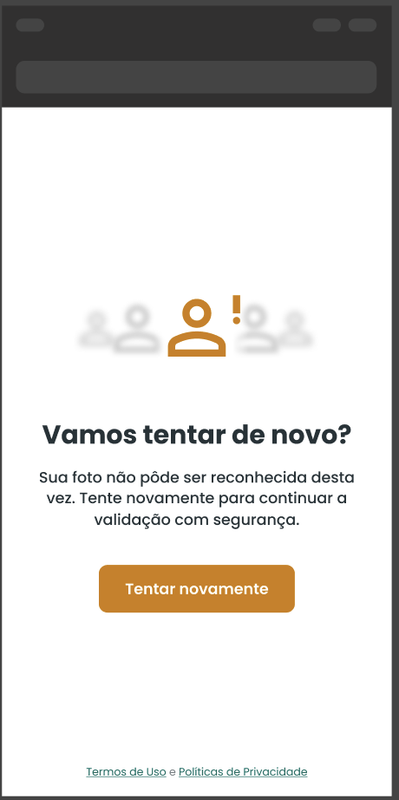
None of the other statuses have been reached yet. The user has not completed the task or the result is still being processed.
EXPIRED
"expired"
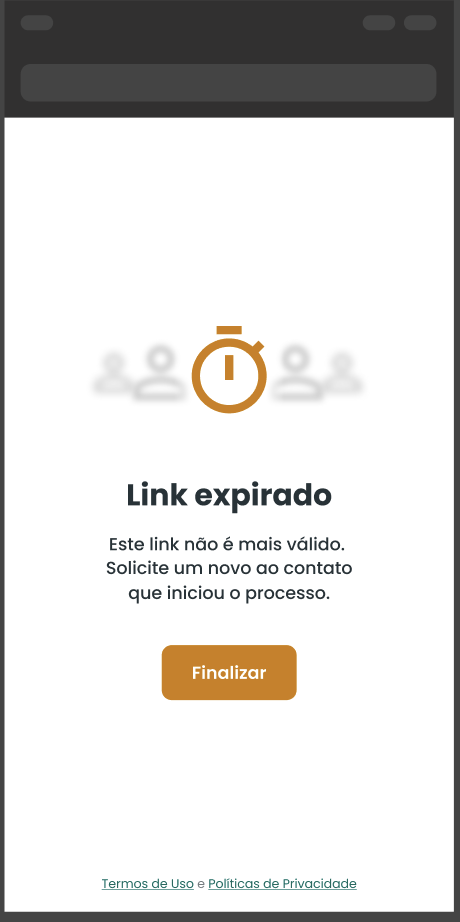
The link expiration time has passed (expirationMinutes / expirationAt). The user can no longer use that Fortlink.
APPROVED
"approved"
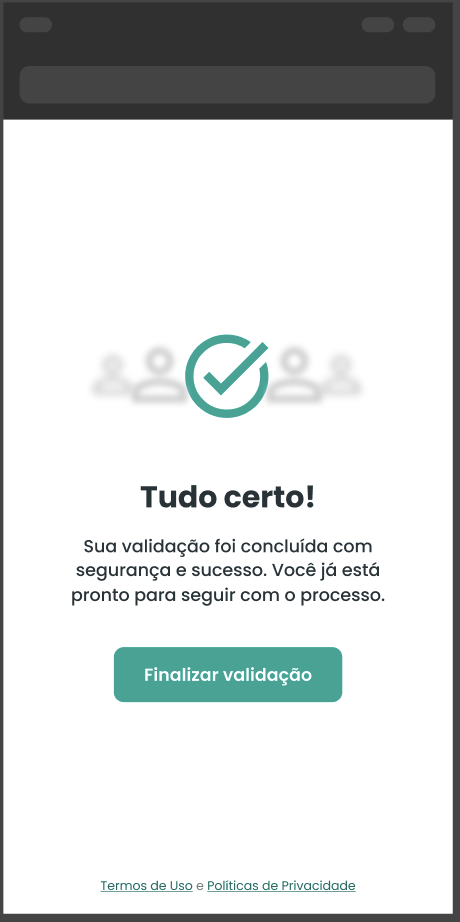
Capture approved (Hubface capture 4 or 5) and/or liveness approved in actions enroll, identify, and liveness.
REJECTED
"rejected"
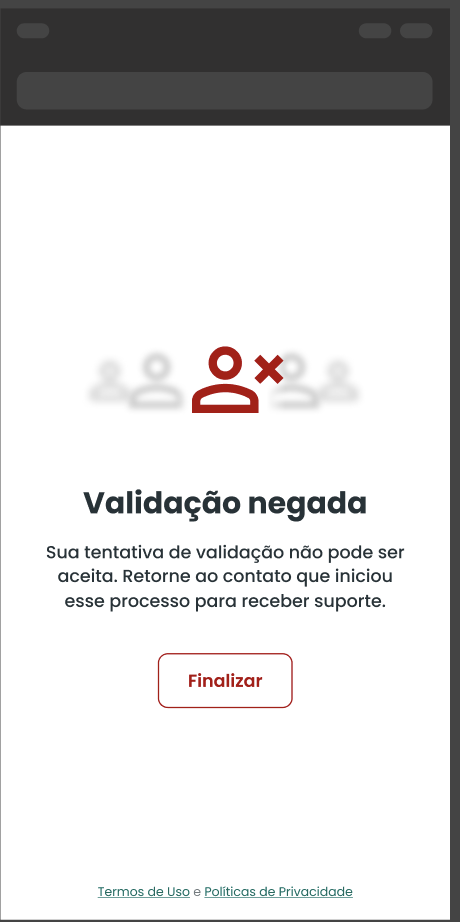
Liveness failed more than 5 times (value = false) in actions enroll, identify, and liveness or capture with status 1 or 2 (Hubface).
INCONCLUSIVE
"inconclusive"
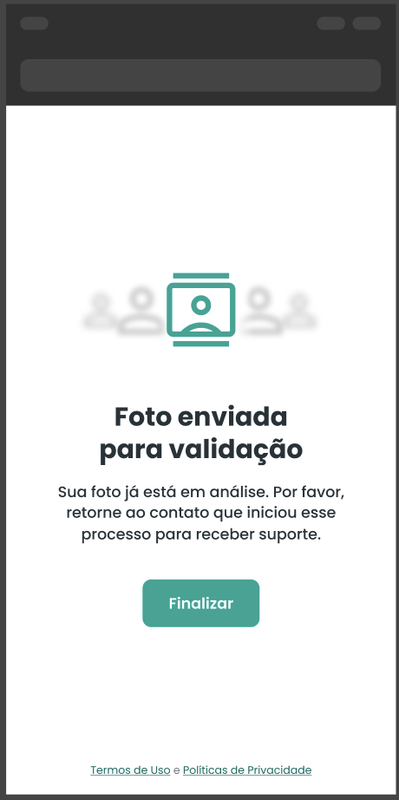
Inconclusive capture result: capture with status 0 or 3 (Hubface).
In summary:
APPROVED→ clear success according to capture / liveness rules.REJECTED→ clear failure (multiple liveness failures or capture 1/2).INCONCLUSIVE→ capture does not safely allow approval or rejection (Hubface 0/3).PENDING/EXPIRED→ flow states (still in progress or expired).
Summary
Fortlink simplifies remote facial capture integration:
- You generate a link on the server-side (using
/backoffice/v1/fortlink). - The user completes the selfie in the web flow.
- You receive the full result via Webhook or by querying by ID.
- All API communication is protected by mTLS, with certificates generated at:
https://mtls-tool.fortface.com/.
Example values used in this document:
externalUserId:"12345678900"galleryId:"UUID"webhook:"https://webhook-test.com/example"redirectURL:"https://client.example.com/return"(optional)externalTransactionId:"example-1234"
Environments:
- Sandbox (BASE):
https://api-sandbox.fortface.ai - Production (BASE):
https://api.fortface.ai
Main path (both environments):
POST/GET {BASE_URL}/backoffice/v1/fortlink
Integrate the 3 main points:
- POST /backoffice/v1/fortlink – create the link
- GET /backoffice/v1/fortlink/{id} – query (polling)
- Webhook – receive results asynchronously
Use the actions (liveness, capture, enroll, identify) according to your business flow.